


The perfect printing solution for your Canon imagePROGRAF TM250 printer
PrintFab 3.0.6 (25-Mar-2026)
(multifunction devices: only printer unit is supported, not scanner unit)
Canon imagePROGRAF TM250 - Windows printer driver features
| PrintFab License | PrintFab Pro with XL option |
| Printer supported since PrintFab version | 3.06 |
| Color profiles included | Plain paper, Matte Coated Paper 90g, Matte Coated Paper 120g, Matte Coated Paper 140g, Matte Coated Paper 170g, Glossy Photo Paper 170g, Satin Photo Paper 170g, Glossy Photo Paper 200g, Satin Photo Paper 200g, Glossy Photo Paper 240g, Satin Photo Paper 240g, Glossy Photo Paper 280g, Satin Photo Paper 280g, Proofing Paper, Fineart Smooth, Translucent Film, Clear Film |
| Color management | supported, extensible with user profiles |
| Color profile administration | yes |
| Print quality | 300dpi, 600dpi, 600dpi super, 1200dpi, 1200dpi super |
| Borderless | - |
| CD | - |
| Automatic duplex | - |
| Roll paper support | yes |
| Roll paper cutter | yes |
| Silkscreen film printing with high density (only PrintFab Pro XL) | - |
| DTF Support (only PrintFab Pro XL) | - |
| Max. print size | 91.69 x 319.99cm / 36.10 x 125.98" license PrintFab Pro XL required to use the maximum print size |
| Printer Toolbox | Nozzle test print, Test page |
The time has come for independent printer drivers - better performance and more freedom for your printer!
PrintFab is the printer driver with RIP (Raster Image Processor) functionality. Innovative “dynamic” color profiles ensure full control over color mixture and ink consumption combined with perfect print quality.

Print quality can be clearly improved by adjusting the printer to paper and ink with PrintFab and its innovative color management. Affordable color profiling service is optionally available.
With PrintFab you can save money not only by using cheaper third party paper and ink. Our intelligent ink saving system reduces ink consumption by up to 30% without producing pale looking pictures. On the first glance you wont even notice the difference!
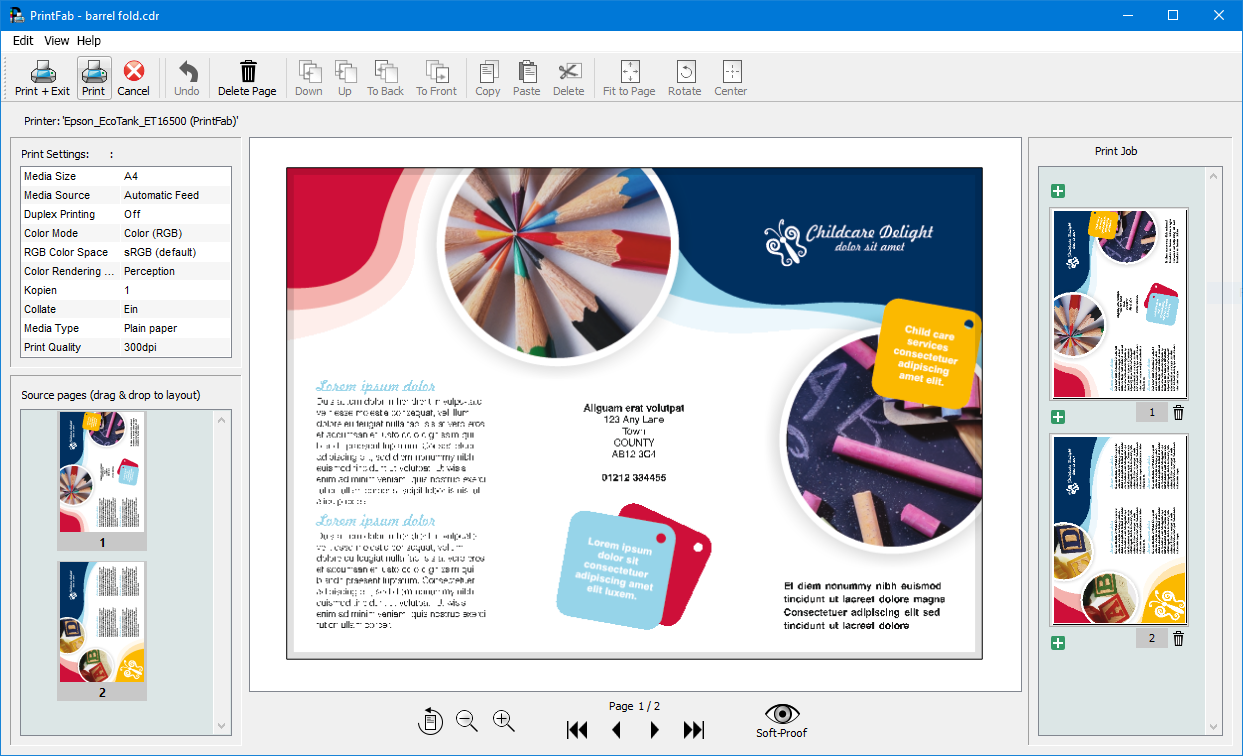
With the Layout Editor you can modify print jobs, e.g. remove ads from a web page, enlarge important sections or combine snippets from different pages on a single sheet.